Windows desktop app

Split hours of video into precise clips. No re-encoding.

Video Splitter turns long recordings, films, lessons, interviews, and footage into fixed-duration clips while keeping the original quality and compatible streams intact.

100% local video processing 2 PCs per licence 0 re-encoding
Video Splitter Lossless
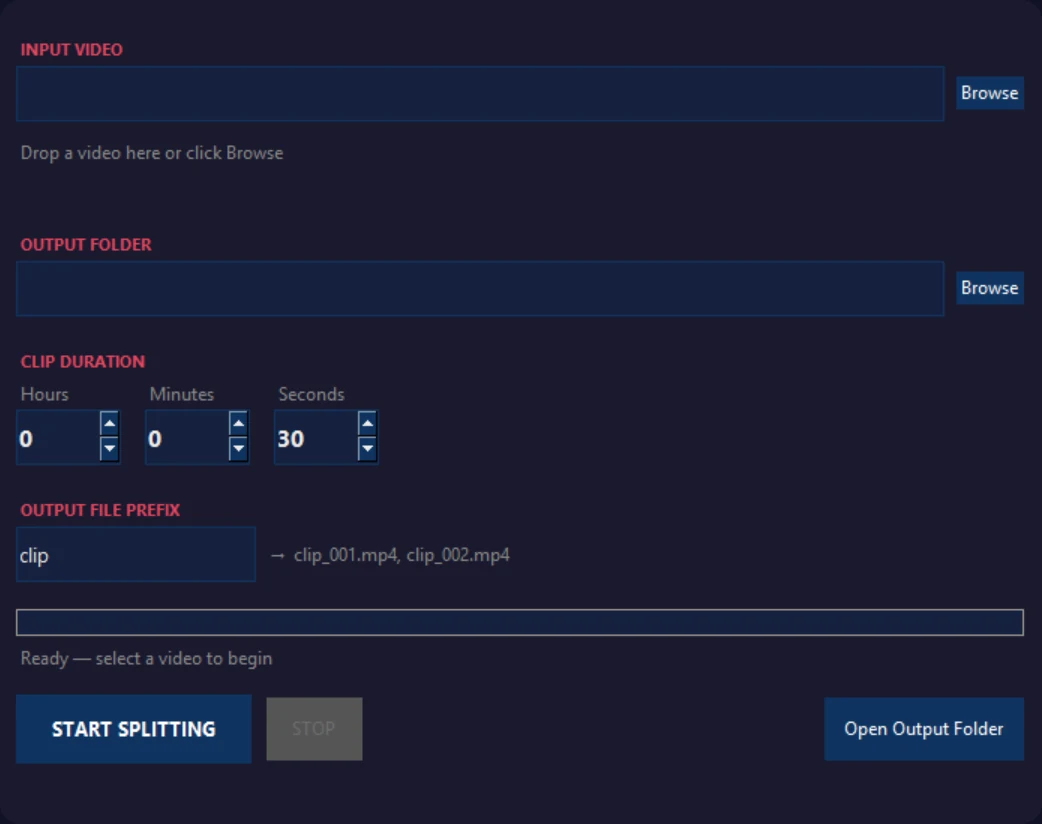
Video Splitter desktop interface
02
Stream copyNo quality loss
01
Local processingNo video uploads
Lossless stream copy
Multiple audio tracks
Custom clip duration
Windows 10 and 11
Try it in your browser

Split one short video before installing anything

This real browser demo creates up to three clips using lossless stream-copy processing. Your source video stays on your device and is not uploaded to our server.

One video per tab session Maximum 100 MB Maximum 10 minutes Up to 3 clips

Choose a video to begin.

Browser demo build 3. The first run downloads a browser video engine of about 32 MB. Browser processing is slower than the native Windows app.

Built for long footage

Everything you need to split video quickly and safely

Choose a duration, select an output folder, and let Video Splitter handle the repetitive work.

01

Lossless speed

Video Splitter uses FFmpeg stream copy instead of re-encoding, so processing is dramatically faster and the original encoded quality is preserved.

2h 30m source
Fixed-duration clips
A1

Keep audio tracks

Preserve multiple mapped audio tracks, including multilingual audio, without converting them.

30

Any clip duration

Set hours, minutes, and seconds. The app estimates the number of clips before processing begins.

PC

Two-computer licence

Activate one licence on up to two Windows computers, with simple in-app deactivation.

00

Your files stay private

Videos are read and written locally. No source footage is uploaded to a cloud processing service.

Real desktop workflow

From one long file to organized clips

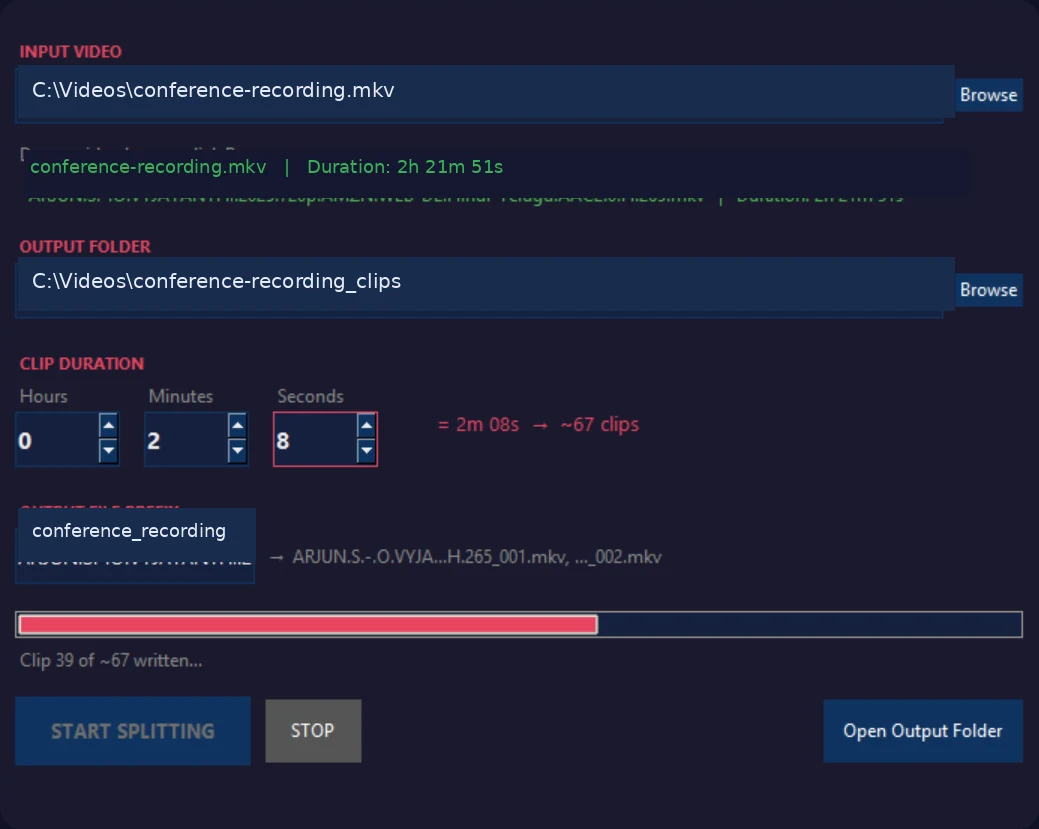
See the input, output location, clip-duration controls, filename preview, live progress, and output count in one clean interface.

  • Drag and drop or browse for a video
  • Automatic output-folder suggestion
  • Custom prefix and start numbering
  • Cancel support and diagnostics logging
Splitting in progress Fast
Video Splitter processing a long video into clips
Four simple steps

Ready in minutes, not hours

01

Select your video

Choose a supported local video file or drop it into the app.

02

Set clip duration

Enter the exact hours, minutes, and seconds for each segment.

03

Choose output

Review the suggested folder, prefix, and output-name preview.

04

Start splitting

Create the clips using fast, lossless stream-copy processing.

Privacy by design

Your footage never needs to leave your computer

Video processing happens locally. An internet connection is used for licence activation and validation, not for uploading or processing your videos.

Read the privacy policy
Your videoLocal drive
->
Video SplitterLocal FFmpeg
->
Your clipsLocal folder
No video upload
Product details

Clear, practical, and built for Windows

PlatformWindows 10 / 11
ProcessingFFmpeg stream copy
Re-encodingNone
LicenceUp to 2 computers
Video uploadNot required
InternetLicence validation
Frequently asked questions

What buyers usually want to know

Does Video Splitter reduce video quality?

No re-encoding is performed during normal splitting. The existing encoded video and compatible streams are copied into the output segments.

Does it preserve multiple audio tracks?

Yes. Video Splitter maps the available streams so multilingual audio tracks and compatible subtitle streams can be retained in the output container.

Are my videos uploaded anywhere?

No. Source videos are processed locally. Only licensing requests are sent online for activation and validation.

Can every clip be exactly the requested duration?

Stream-copy splitting follows keyframes. Clip boundaries can vary slightly depending on the source file's keyframe placement. This avoids re-encoding and preserves speed and quality.

How many computers can I use?

One licence supports up to two activated Windows computers. You can deactivate a computer to free a seat.

Does it work offline?

Your videos are processed locally, but an internet connection is required for licence activation and validation.

Early access

Be among the first to try Video Splitter

Video Splitter is preparing for its first public release. Send an early-access request to receive launch news and availability updates.