Lossless speed
Video Splitter uses FFmpeg stream copy instead of re-encoding, so processing is dramatically faster and the original encoded quality is preserved.
Video Splitter turns long recordings, films, lessons, interviews, and footage into fixed-duration clips while keeping the original quality and compatible streams intact.
This real browser demo creates up to three clips using lossless stream-copy processing. Your source video stays on your device and is not uploaded to our server.
Choose a video to begin.
Choose a duration, select an output folder, and let Video Splitter handle the repetitive work.
Video Splitter uses FFmpeg stream copy instead of re-encoding, so processing is dramatically faster and the original encoded quality is preserved.
Preserve multiple mapped audio tracks, including multilingual audio, without converting them.
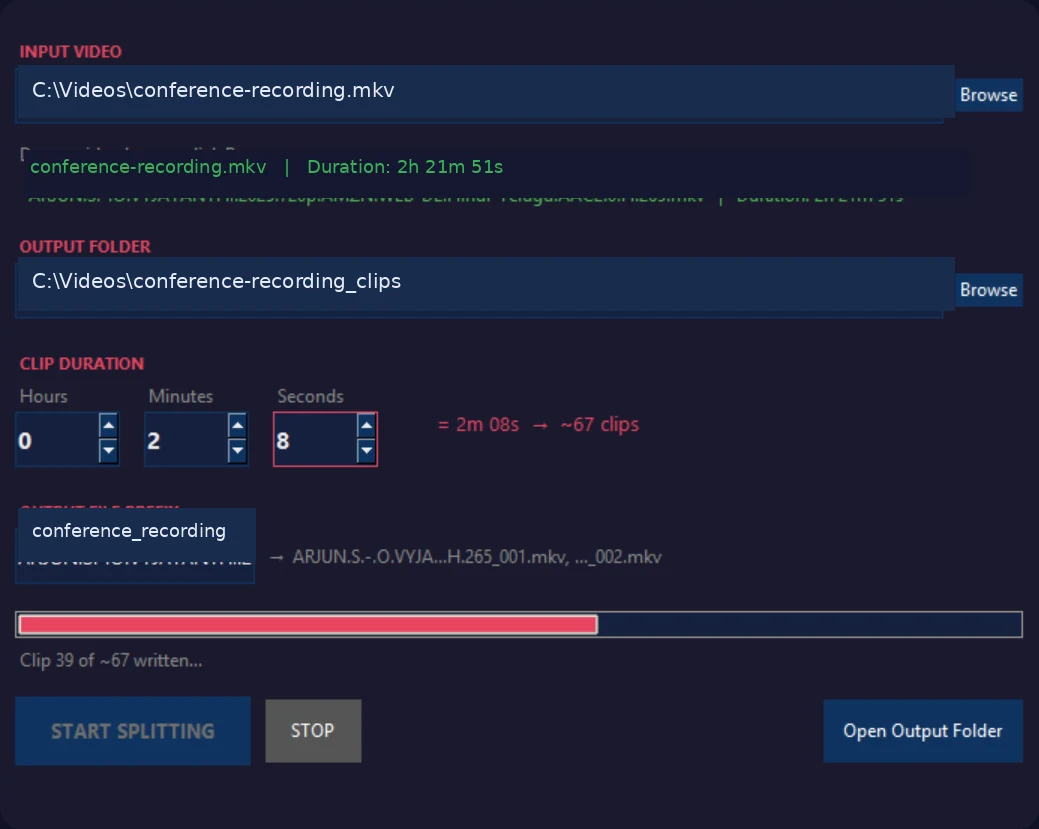
Set hours, minutes, and seconds. The app estimates the number of clips before processing begins.
Activate one licence on up to two Windows computers, with simple in-app deactivation.
Videos are read and written locally. No source footage is uploaded to a cloud processing service.

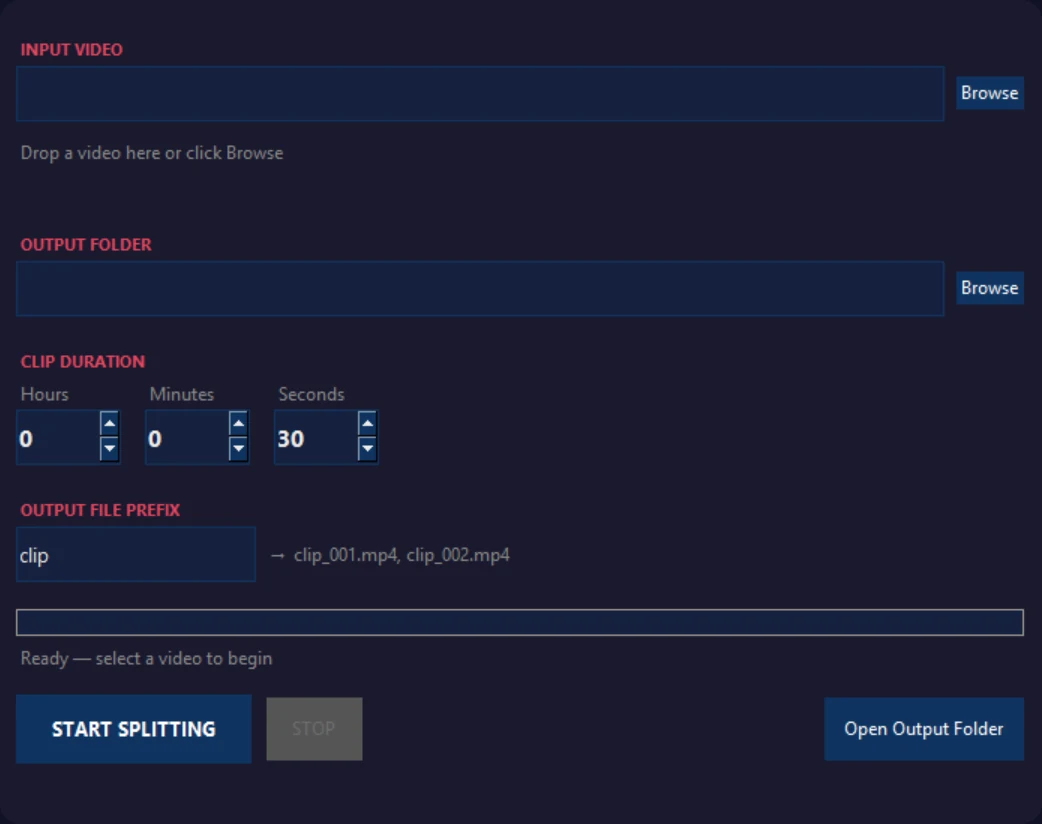
See the input, output location, clip-duration controls, filename preview, live progress, and output count in one clean interface.
Choose a supported local video file or drop it into the app.
Enter the exact hours, minutes, and seconds for each segment.
Review the suggested folder, prefix, and output-name preview.
Create the clips using fast, lossless stream-copy processing.
Video processing happens locally. An internet connection is used for licence activation and validation, not for uploading or processing your videos.
Read the privacy policyNo re-encoding is performed during normal splitting. The existing encoded video and compatible streams are copied into the output segments.
Yes. Video Splitter maps the available streams so multilingual audio tracks and compatible subtitle streams can be retained in the output container.
No. Source videos are processed locally. Only licensing requests are sent online for activation and validation.
Stream-copy splitting follows keyframes. Clip boundaries can vary slightly depending on the source file's keyframe placement. This avoids re-encoding and preserves speed and quality.
One licence supports up to two activated Windows computers. You can deactivate a computer to free a seat.
Your videos are processed locally, but an internet connection is required for licence activation and validation.
Video Splitter is preparing for its first public release. Send an early-access request to receive launch news and availability updates.